In our modern world, technology is advancing rapidly—and sadly, that includes how hackers try to access your internet connection. Just by scanning your modem or router's QR code using a cellphone, your Wi-Fi password can be easily obtained.
To help protect your network, please follow these safety reminders:
🔒 Never lend your cellphone to just anyone, especially when it's connected to your Wi-Fi. They might scan the QR code and get your password instantly.
✍️ When changing your password, avoid saying it out loud or announcing it to others. Instead, write it down and keep it safe.
👥 Only share your password with trusted people. Never post or send it through unsecured platforms like group chats or public messages.
📵 Avoid sharing your password on social media or printed labels unless you completely trust those who can see it.
What if someone already has access to your Wi-Fi?
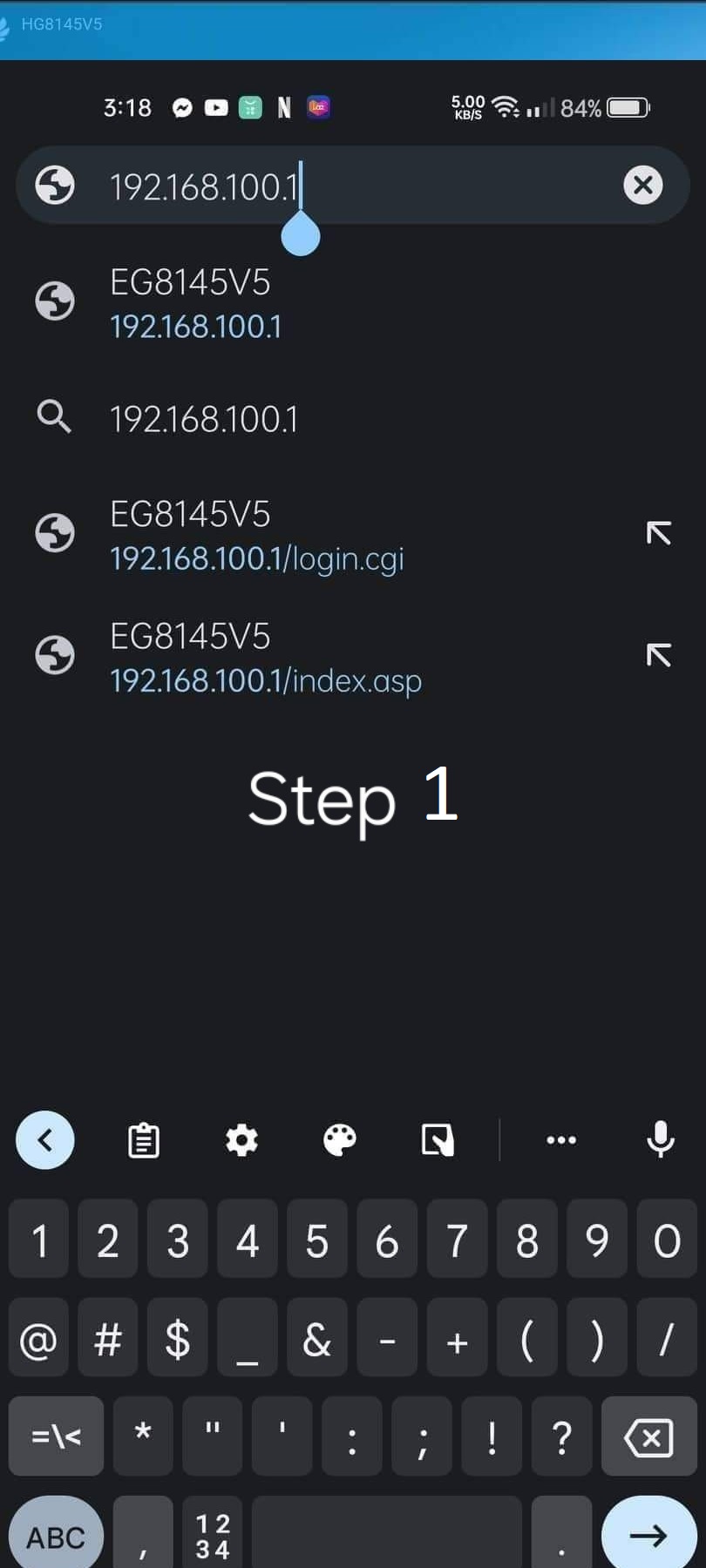
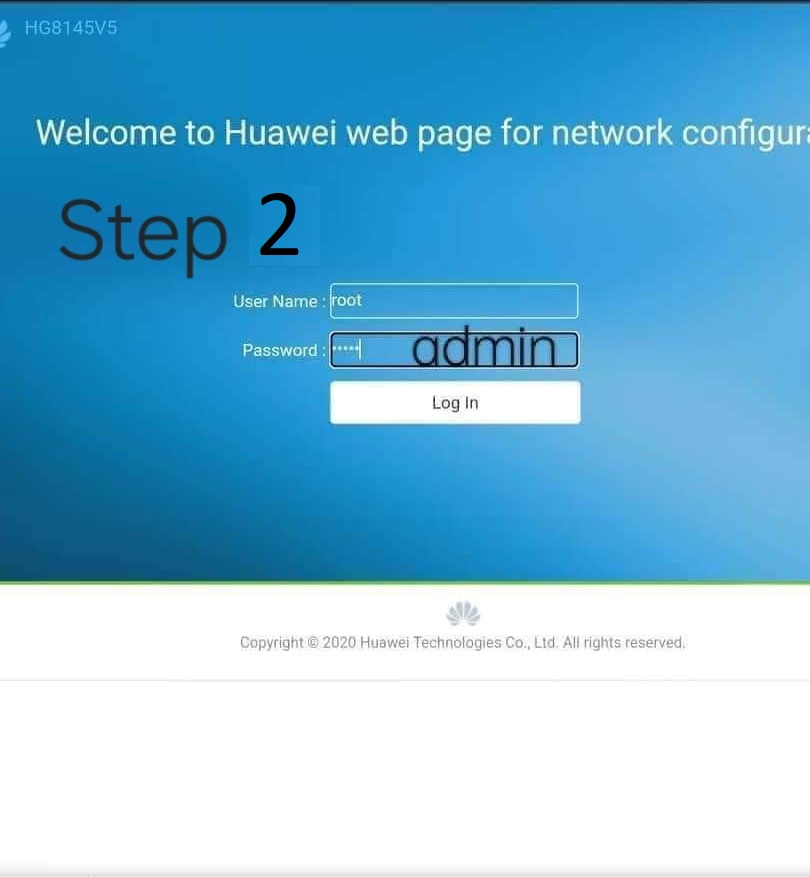
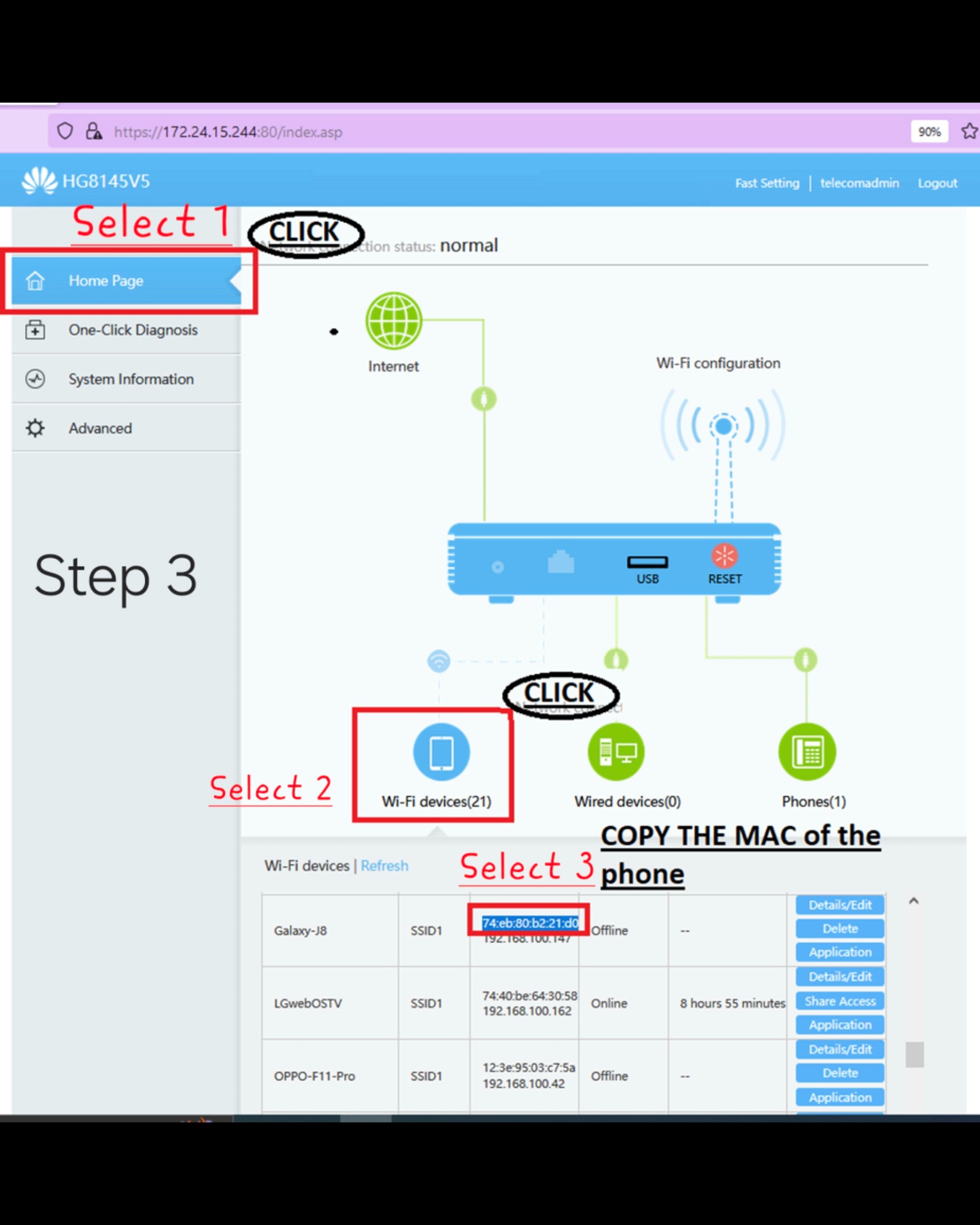
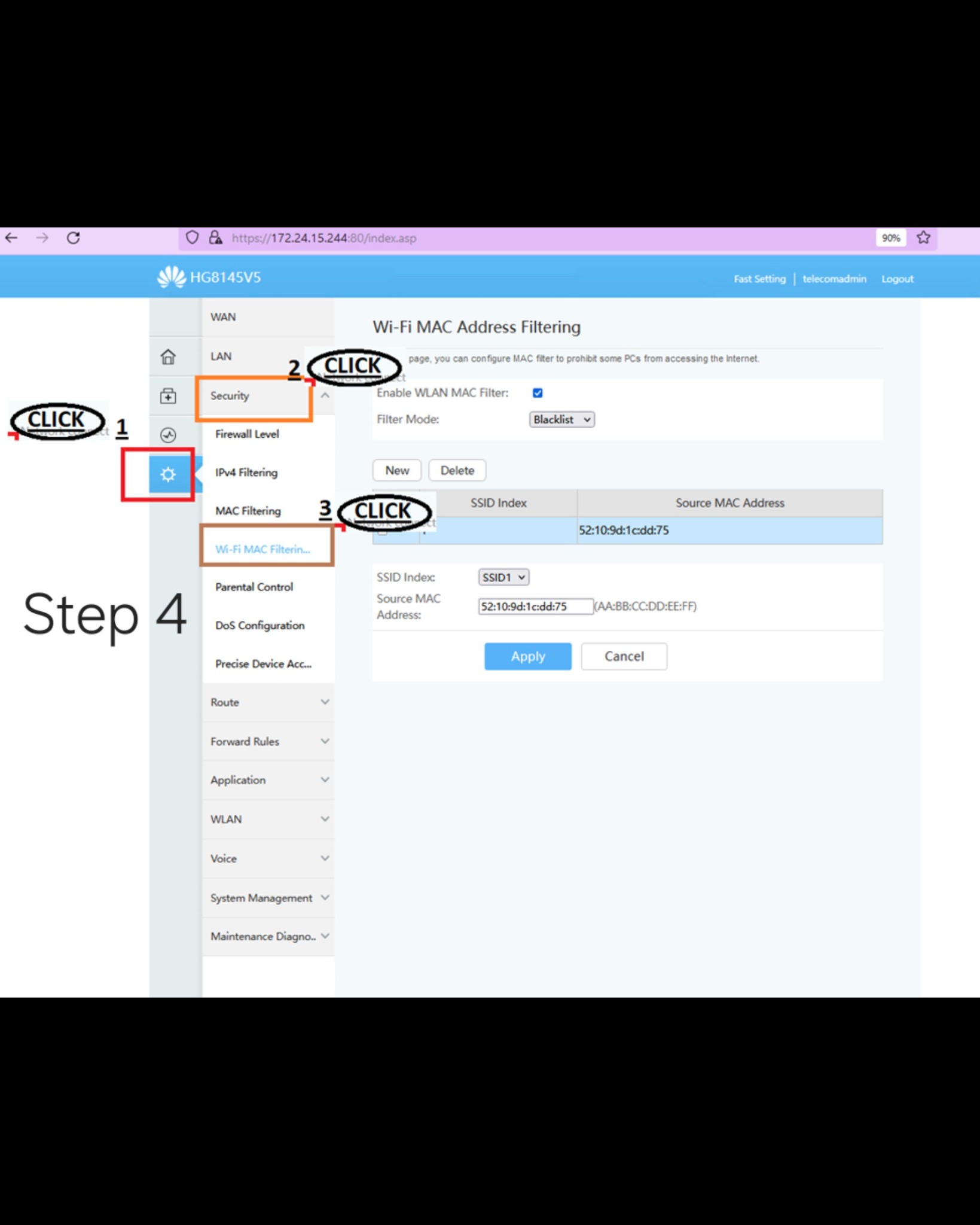
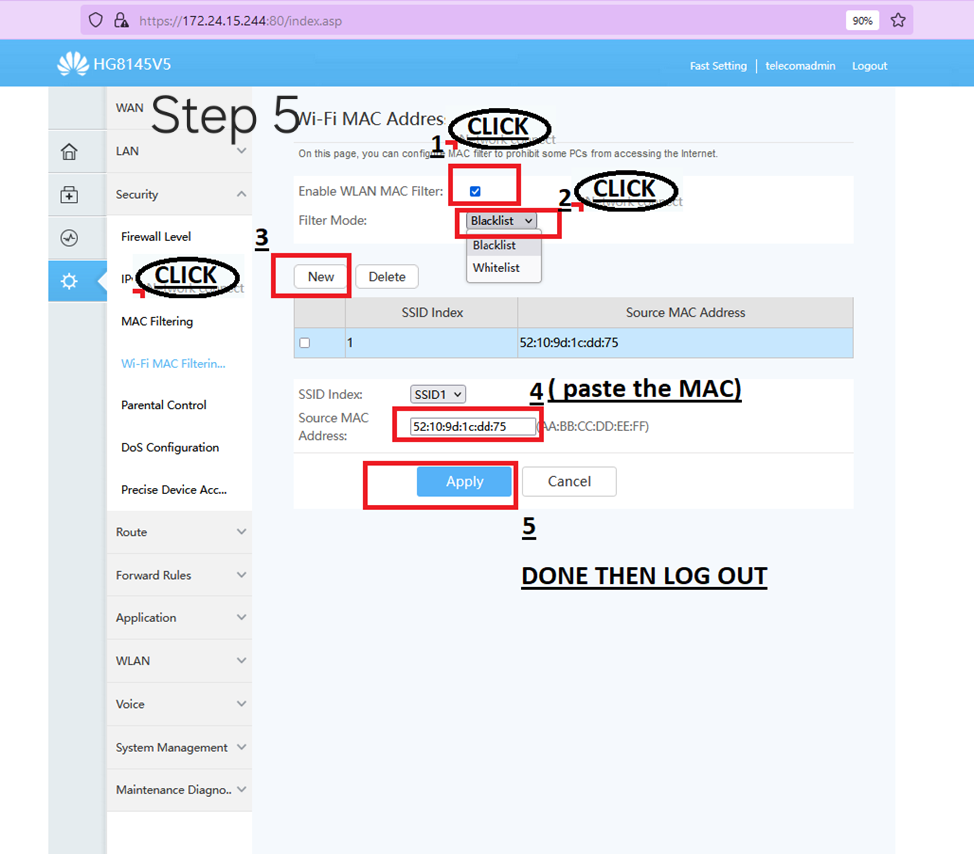
If you suspect someone is using your internet without permission, don’t worry. You can block them from connecting again.
📞 0975 469 8050 / 0933 8613 304